
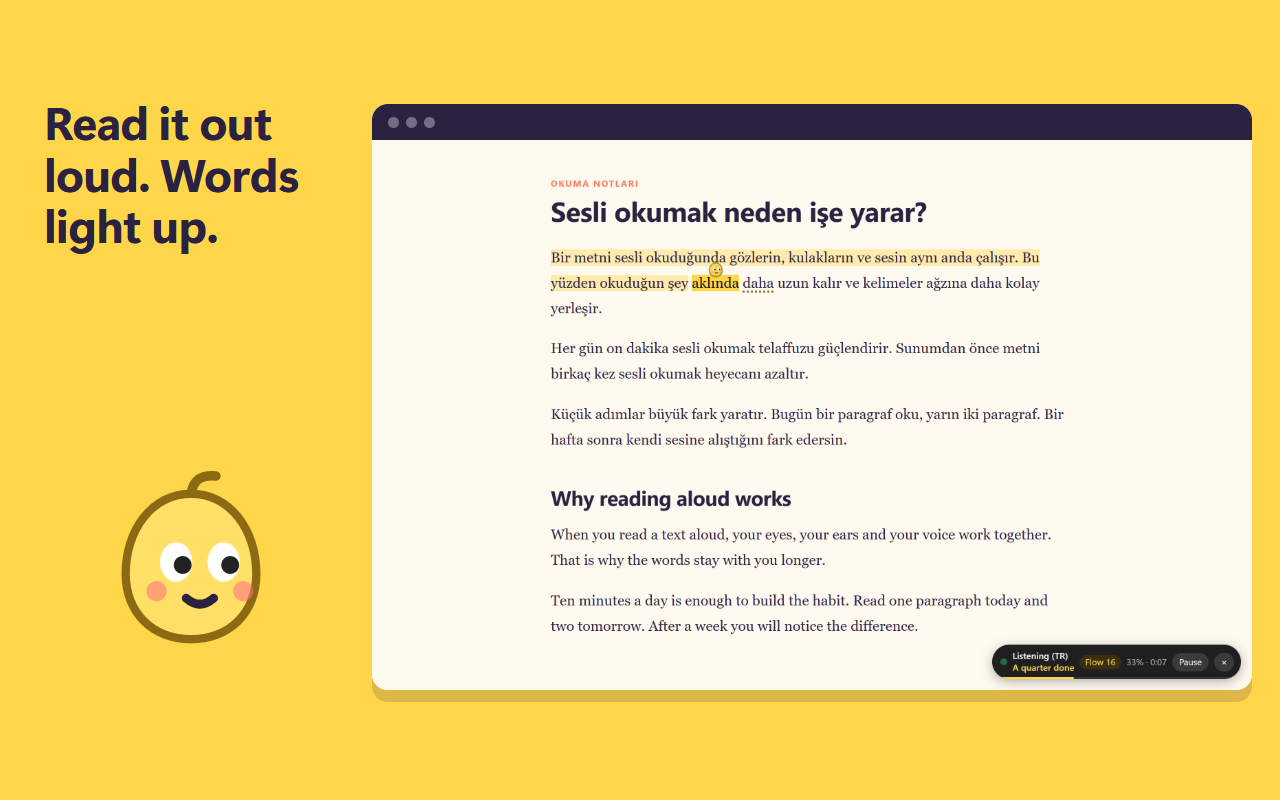
It follows your voiceSesini kelime kelime izler
Say a word and it turns yellow. Damla walks on top of the line, so you always see where you are. Bir kelimeyi söylediğin an sarıya döner. Damla satırın üstünde yürür, nerede olduğunu hep görürsün.
Read Along listens through your microphone and marks the word you just said. It follows Turkish and English by itself. Read Along mikrofonundan seni dinler ve az önce söylediğin kelimeyi sayfada boyar. Türkçe ile İngilizce arasında kendisi geçer.
Add to ChromeChrome'a ekleFree. No account. Needs Chrome 139 or newer. Ücretsiz. Hesap yok. Chrome 139 ve üstü gerekir.
Live demo. Nobody is talking, the page just plays along. Canlı demo. Kimse konuşmuyor, sayfa kendi kendine oynuyor.
Damla is a drop of highlighter ink. Read this line out loud and she lights up each word as you say it. Skip ahead and she somersaults to the new spot. Damla bir damla fosforlu kalem mürekkebi. Bu satırı sesli oku, söylediğin her kelimeyi o yakar. Bir yere atlarsan takla atıp oraya gider.
Say a word and it turns yellow. Damla walks on top of the line, so you always see where you are. Bir kelimeyi söylediğin an sarıya döner. Damla satırın üstünde yürür, nerede olduğunu hep görürsün.
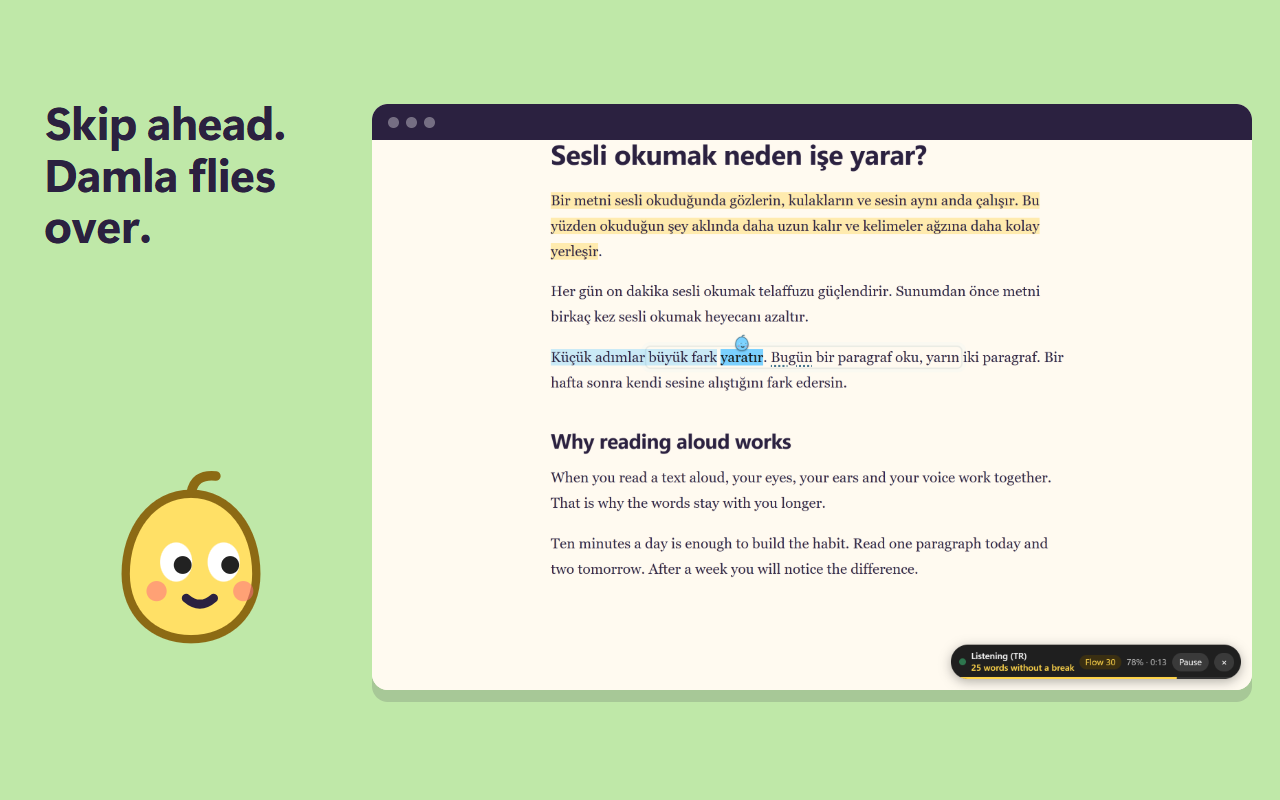
Press Alt+Shift+S, click a word, and Damla somersaults there. Keep reading from anywhere on the page. Alt+Shift+S'ye bas, bir kelimeye tıkla, Damla oraya takla atarak gider. Okumaya sayfanın neresinden istersen devam et.
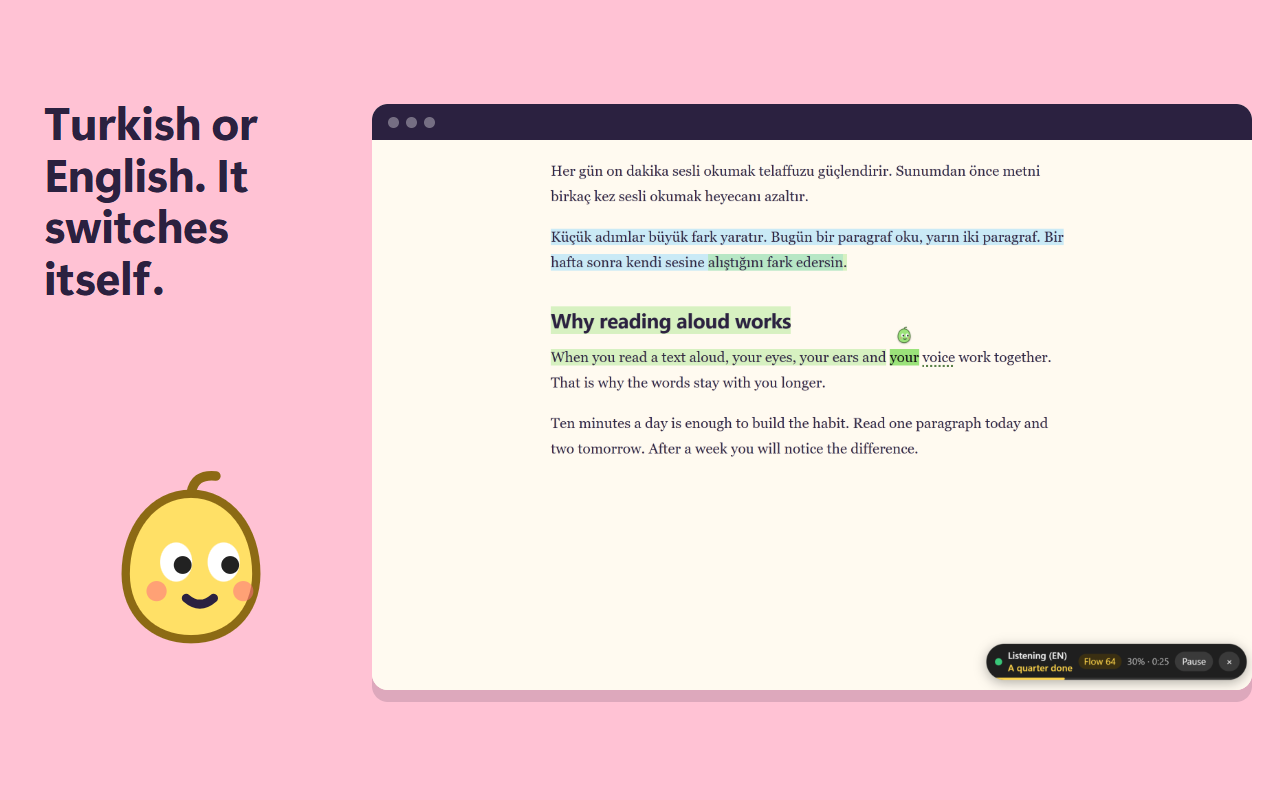
Change language halfway down the page and it notices. No menu to open. Sayfanın ortasında dil değiştirsen bile kendisi anlar. Menüye girmene gerek yok.
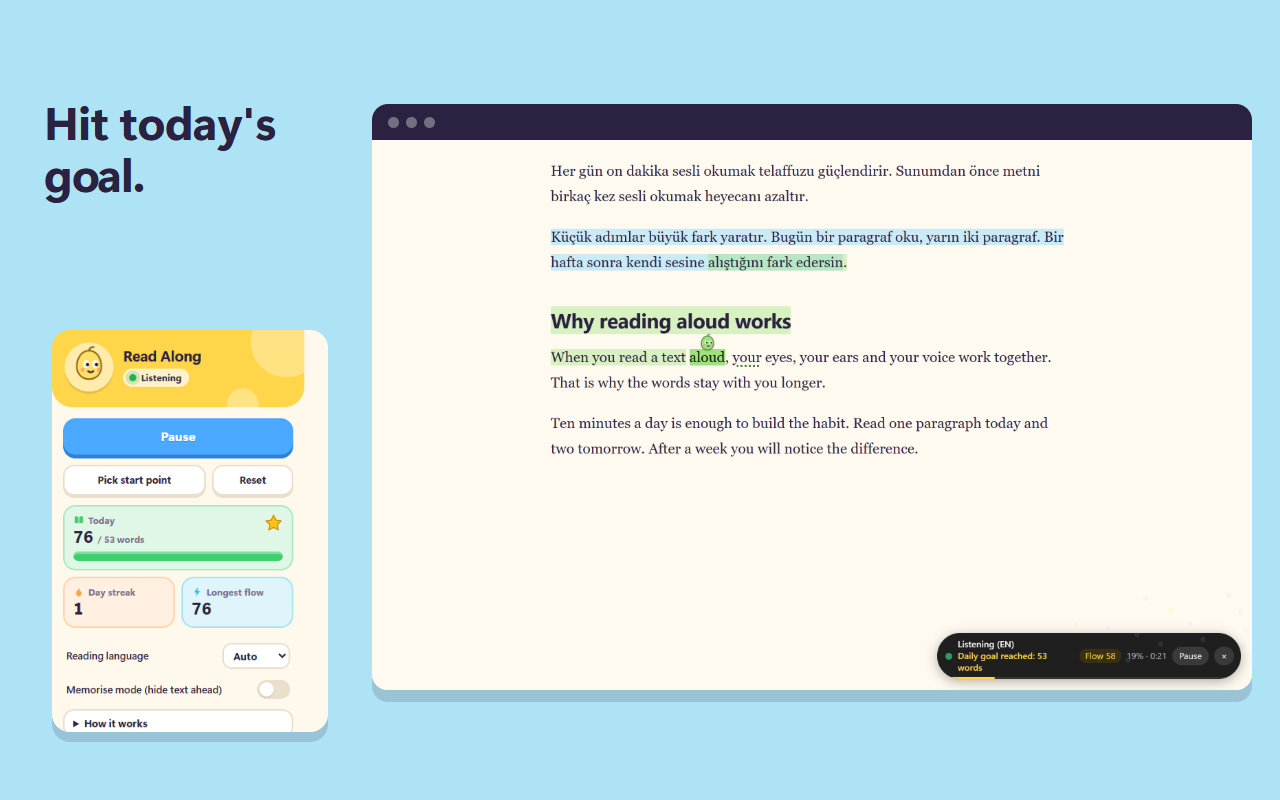
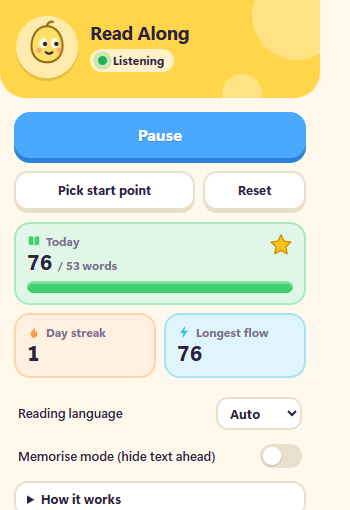
Flow counts the words you read without a break. Set a daily word goal and keep your day streak going. Hit the goal and confetti pops. The numbers stay on your device. Akış, ara vermeden okuduğun kelime sayısı. Günlük bir kelime hedefi koy, seriyi kopartma. Hedefi geçince konfeti patlar. Sayılar cihazında kalır.
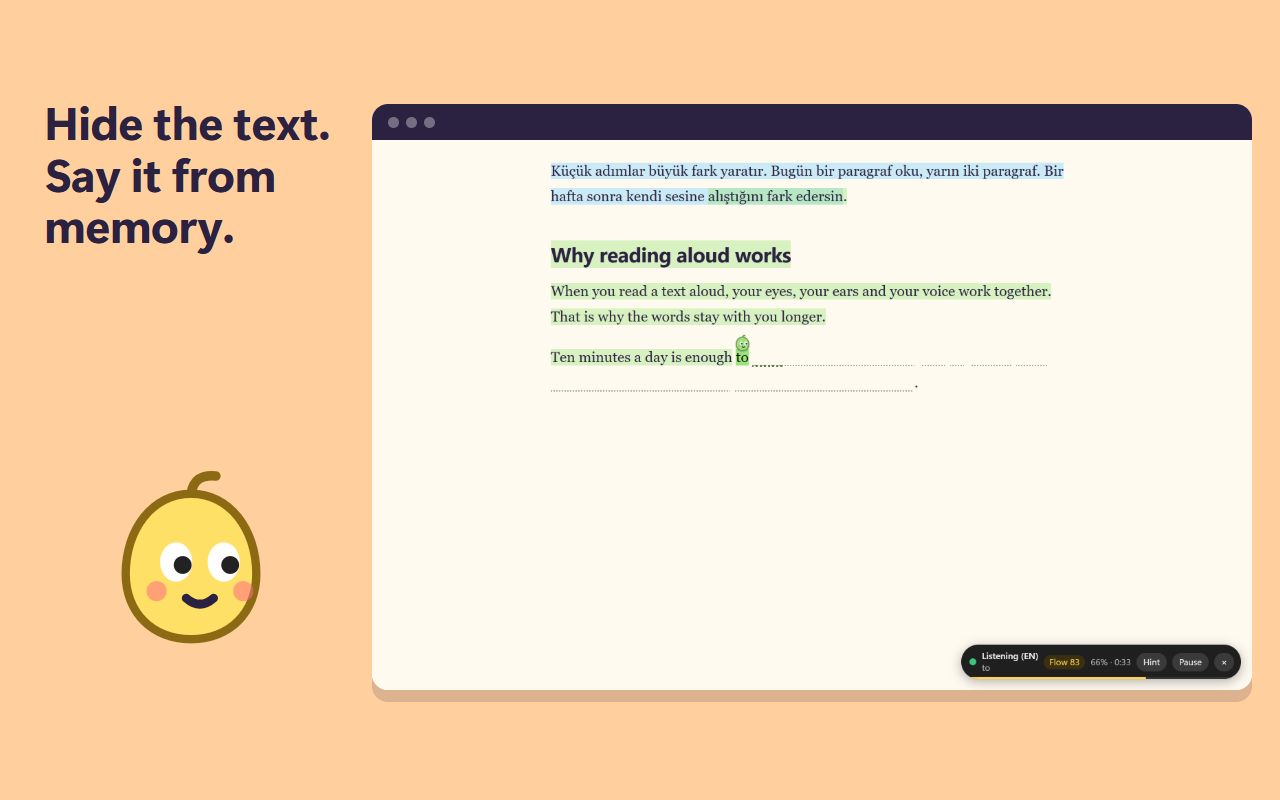
Turn it on and the text after your voice fades out. You only see what you have already said, so the rest has to come from your head. Handy for a poem or a speech. Açınca söylediğin yerden sonrası silinir. Sadece okuduğun kısmı görürsün, gerisini aklından getirirsin. Şiir ya da konuşma ezberlerken iş görür.
The plain facts, before you press Start. Başlat'a basmadan önce bilmen gerekenler, açık açık.
Works in Chrome 139 and newer. Free. Chrome 139 ve üstünde çalışır. Ücretsiz.
Add to ChromeChrome'a ekle